2,000+
Machines shipped
Deployed across smart machines, retrofit projects, and regulated programs — not a lab demo.
Run machine monitoring, inventory control, payments, reporting, and branded touchscreen UX from one cloud platform built for live vending operations.
Support compatible smart machines, keep a practical retrofit path open for older MDB and Pulse cabinets, and give operators live visibility across browser and mobile.
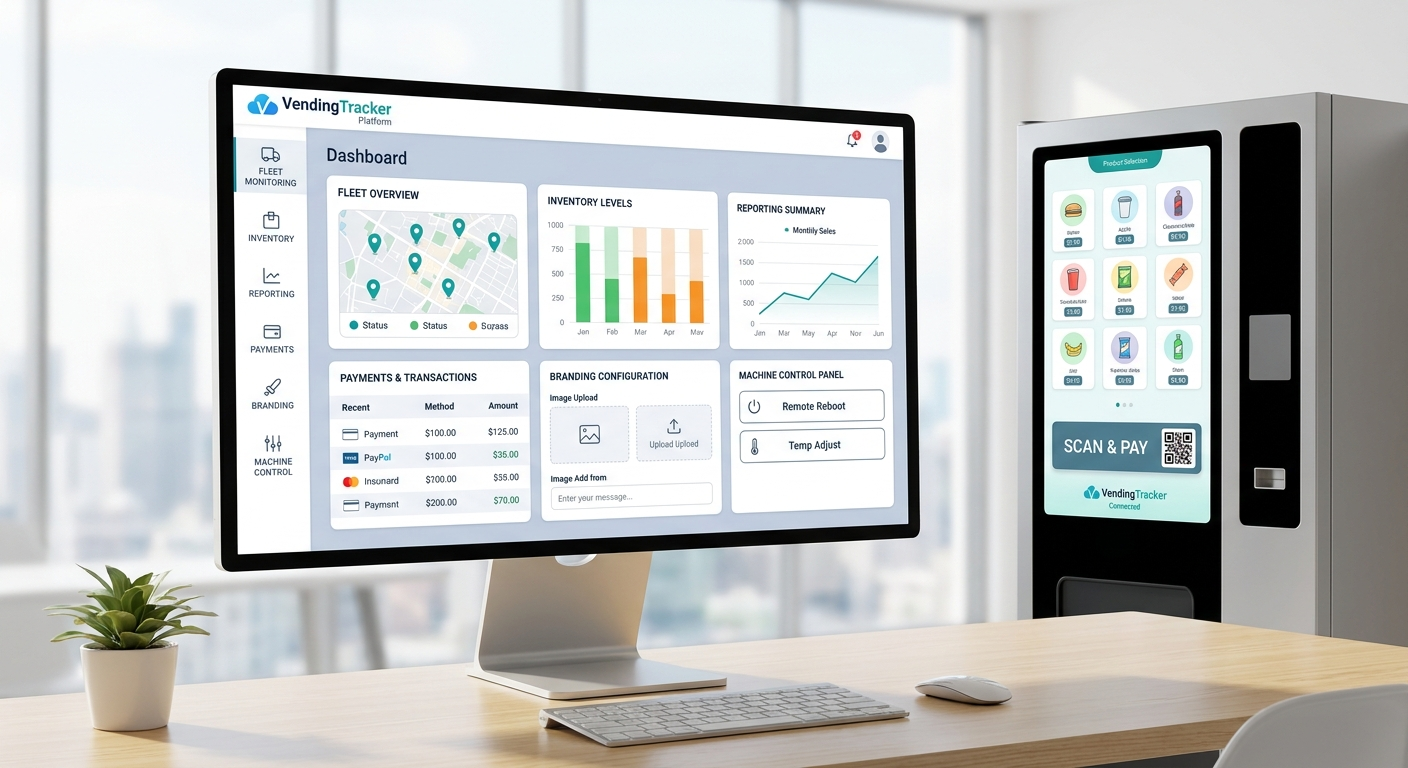
Manage smart machines, retrofit paths, QR payments, inventory, routes, reporting, and branded touchscreen UX from one operating layer already used across DMVI deployments.
2,000+
Deployed across smart machines, retrofit projects, and regulated programs — not a lab demo.
Mixed-fleet
Support compatible smart machines, MDB and Pulse modernization paths, and Android-based machine interfaces in the same operating model.
iPhone + Android
Operators can check machine activity away from the desk, so issues are handled where the machines actually are.
The browser dashboard matters, but buyers also need to see the touchscreen software move. This short walkthrough shows the Android-based machine layer in a cleaner landscape format so the product feels shipped, not hypothetical.
Most buyers are not replacing an entire fleet in one theatrical sweep. They need a platform that can work across what is already deployed, what is being added next, and what still needs a retrofit decision.
That is where VendingTracker is strongest. The story is not just dashboard access. It is machine-side software, cloud control, field workflow, and buyer-specific rollout logic living in one operating model.
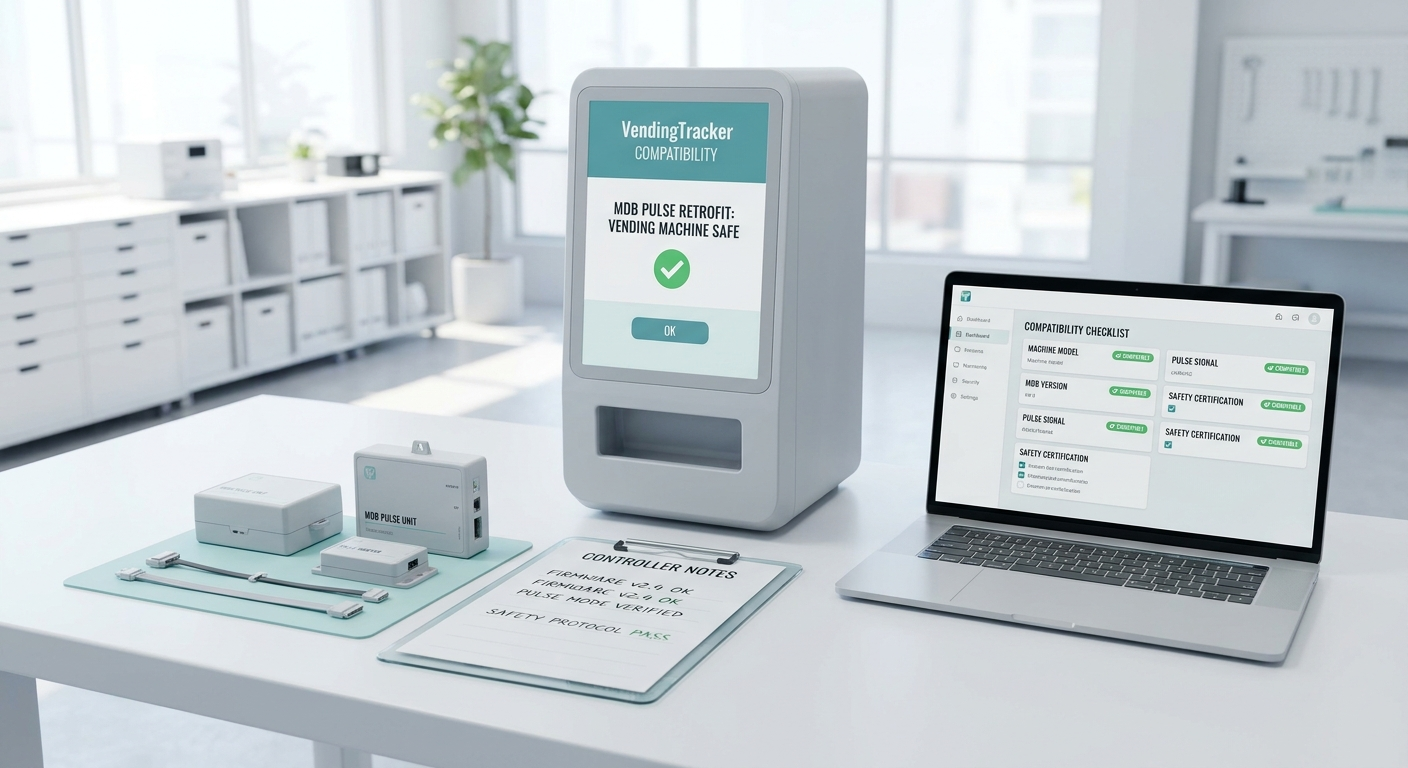
The homepage should not try to explain every edge case. It should make the software footprint obvious enough that a serious buyer can quickly see whether VendingTracker belongs in the conversation.
These are the core platform areas most buyers want to validate first.
Track machine status, alerts, and operating exceptions across compatible smart machines and retrofit-ready cabinets.
Use live machine data to guide refill priorities, planograms, and route decisions instead of relying on stale manual notes.
Support terminal-led payments and QR pay-on-phone flows when the deployment model calls for them.
Review sales, profitability, commissions, and machine-level performance from one commercial reporting layer.
Support operator branding, OEM white-label rollouts, and deployment-specific shopper experiences through Theme Manager.
Push branded content and campaign assets to compatible machine screens without manual screen handling.
Different buyers need different proof. Operators usually start with fleet workflow, OEM partners with branding and productization, and regulated deployments with control, reporting, and rollout discipline.
Manage mixed fleets, route workflow, machine uptime, inventory pressure, and field execution from one operating layer.
Use one software core to support branded machine experiences, white-label programs, and more consistent productization.
Support public-health, age-restricted, and other controlled rollouts where workflow discipline matters as much as the machine itself.
VendingTracker is the software layer, but some projects also need adjacent machine, showroom, and corporate context before a buyer is comfortable moving forward.
Review connected machine options and broader DMVI hardware positioning when the software decision is tied to machine selection.
Use the custom machine view when the deployment needs a more tailored industrial design, branded build, or hardware direction.
See the broader presentation layer, showroom context, and product positioning around the software conversation.
VendingTracker is a cloud-managed vending management software platform built by DMVI. The machine-side software is Android OS-based, chosen for fast performance, 24/7 always-on use, and touchscreen-native operation. It supports smart machines from multiple manufacturers, adds modern capability to legacy MDB and Pulse machines through a retrofit path, and gives operators one dashboard for monitoring, inventory, payments, planograms, branded UI, and reporting.
Yes. VendingTracker is machine-agnostic. Operators can manage compatible machines from multiple manufacturers in one software layer instead of fragmenting the fleet across vendor-specific dashboards.
Yes. Legacy MDB and Pulse cabinets can be reviewed for a retrofit path using a DMVI Android IPC and touchscreen so operators can add telemetry, alerts, modern payments, and a touchscreen workflow without replacing every cabinet.
VendingTracker supports terminal-led cashless payments and dynamic QR pay-on-phone flows where the shopper completes the payment on a phone after scanning a transaction-specific code displayed on the machine.
VendingTracker supports operator fleets, OEM partners, cannabis vending, harm-reduction programs, age-restricted deployments, hospitality environments, healthcare facilities, and other automated retail use cases that need more than a basic telemetry dashboard.
VendingTracker has shipped on more than 2,000 machines across smart deployments, retrofits, and regulated program environments.
Basic dashboards often stop at telemetry and sales totals. VendingTracker combines remote monitoring, inventory and planogram management, branded touchscreen UI, cashless and QR payments, financial reporting, digital signage, buy-online pickup workflows with reservation, hybrid fulfillment, and vertical-specific workflows in one cloud-managed platform.
Book a demo, open the live platform, or send operators to support with the right context from the start.