Next step
Custom Development
Review the route for machine UI, mobile apps, private cloud modules, and partner-specific workflow scope on top of the core platform.
See custom developmentTheme Manager allows the same underlying platform to look and behave differently for OEMs, operators, branded deployments, and machine-specific rollout models.
That means a manufacturer or operator can present a machine experience that feels like its own product rather than generic vending software.
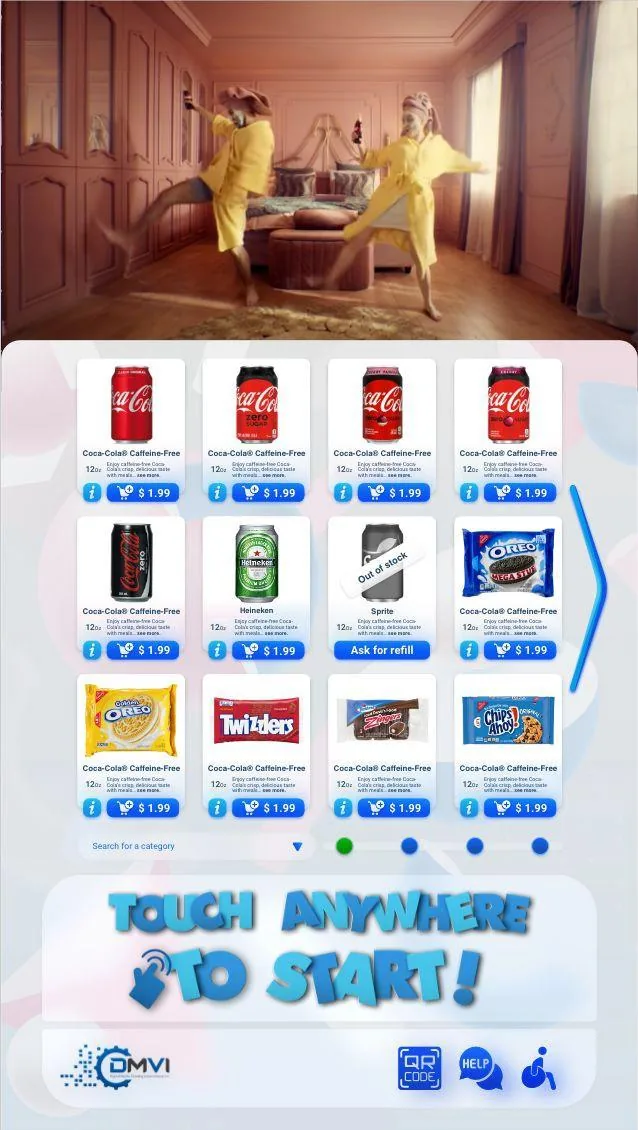
Theme Manager controls the shopper-facing interface, promotional areas, colors, logos, and layout patterns without changing the underlying software core.
That is what makes VendingTracker suitable for OEM white-label deployments and operator-specific brand experiences.
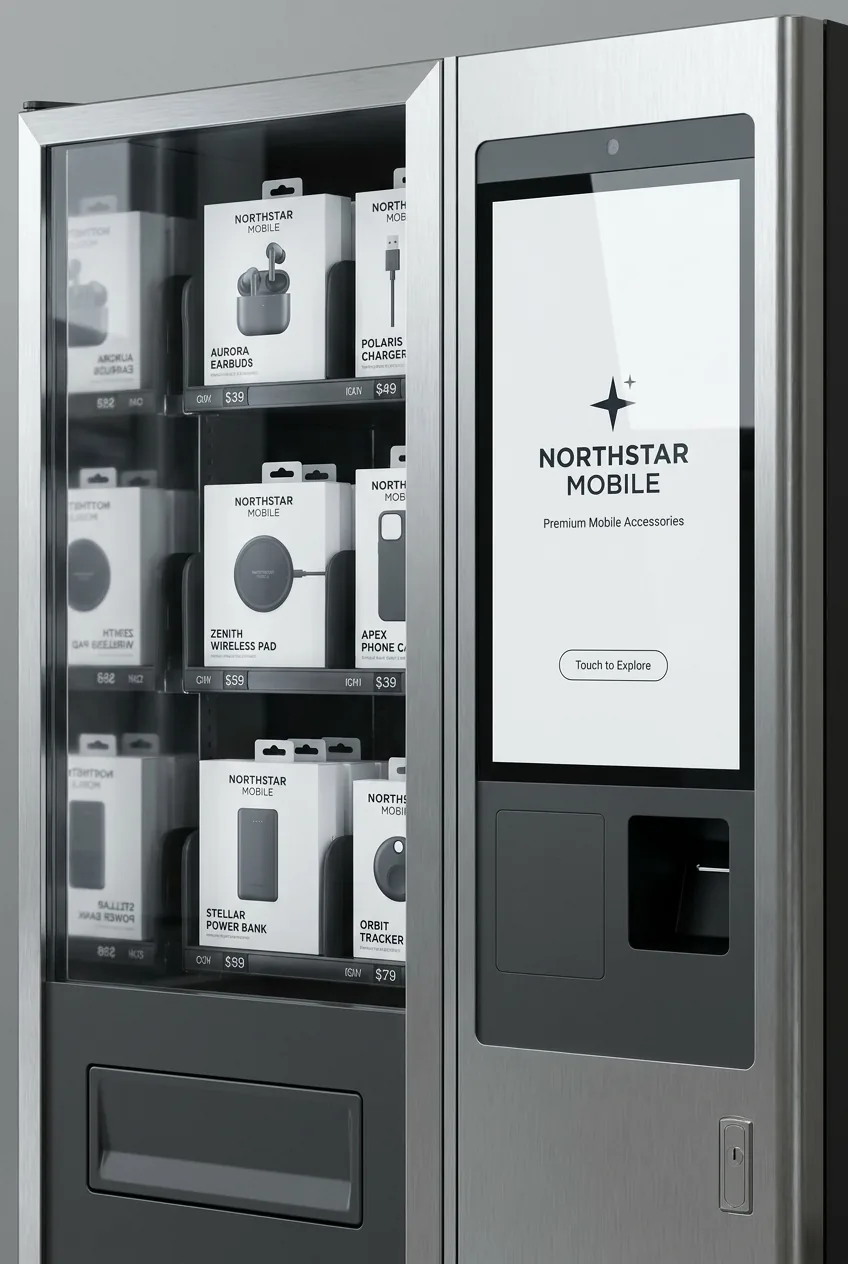
Machine manufacturers can deploy VendingTracker as the software layer for their hardware, fully branded with the manufacturer identity, UI, and promotional content, presented as a proprietary product experience.
Operators use it to align machine UX with venue type, campaign, or deployment requirements without maintaining separate software instances.
Brand scope, supported surfaces, and integration requirements vary by machine type and rollout model. Share your details and DMVI will define what is achievable for your specific deployment.
That keeps the branding conversation practical and prevents white-label promises that later collapse under machine or commercial constraints. If the requirement reaches beyond theme control into custom machine UI, companion apps, private cloud modules, or partner-specific workflow logic, the right next step is a scoped custom development review rather than a vague promise that everything is standard.
When the OEM conversation moves beyond branding into private roadmap, app, or API scope, use the related pages below to keep the product discussion grounded.
Theme Manager is the front-end branding and UI customization system used to apply logos, colors, layouts, and promotional areas to the shopper-facing machine experience.
Yes. OEM manufacturers can deploy VendingTracker as a branded product experience while using the same underlying monitoring, payment, inventory, and reporting platform.
White-label vending software is a platform a third party can brand and deploy as its own product rather than exposing a generic vendor interface.
Yes. Different machine groups or deployments can run distinct theme configurations from one platform core.
Book an OEM or branded deployment review with the machine and rollout context in hand.
Book a demo, request a compatibility review, or start an integration conversation with the right technical context from the start.