Modern Touchscreen Vending Machine Software — Browse, Select, Pay, Confirm
VendingTracker replaces the old button-and-spiral feeling with a touchscreen flow that behaves more like retail software than a utility machine.
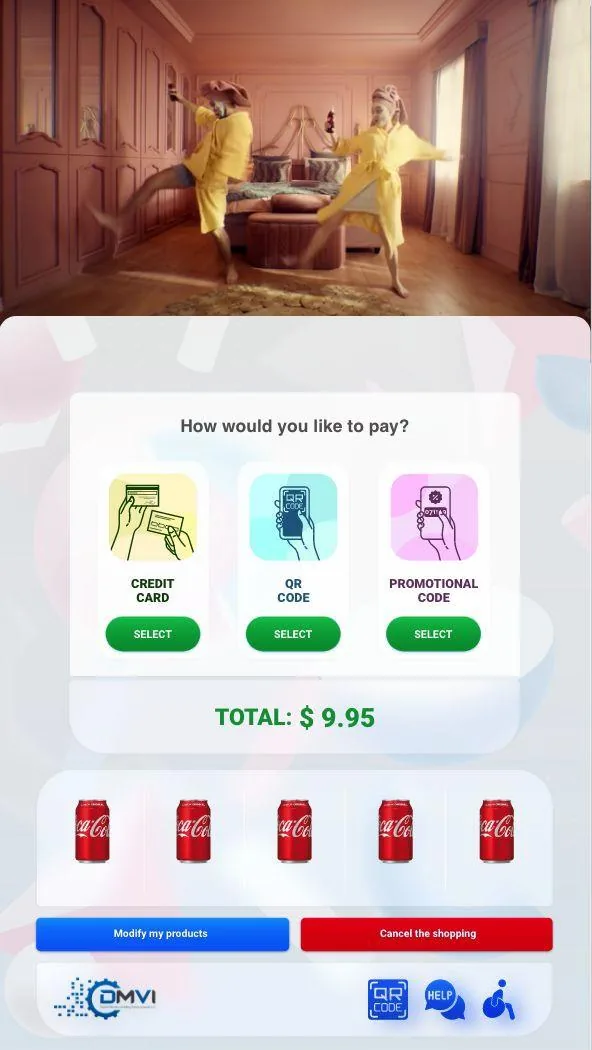
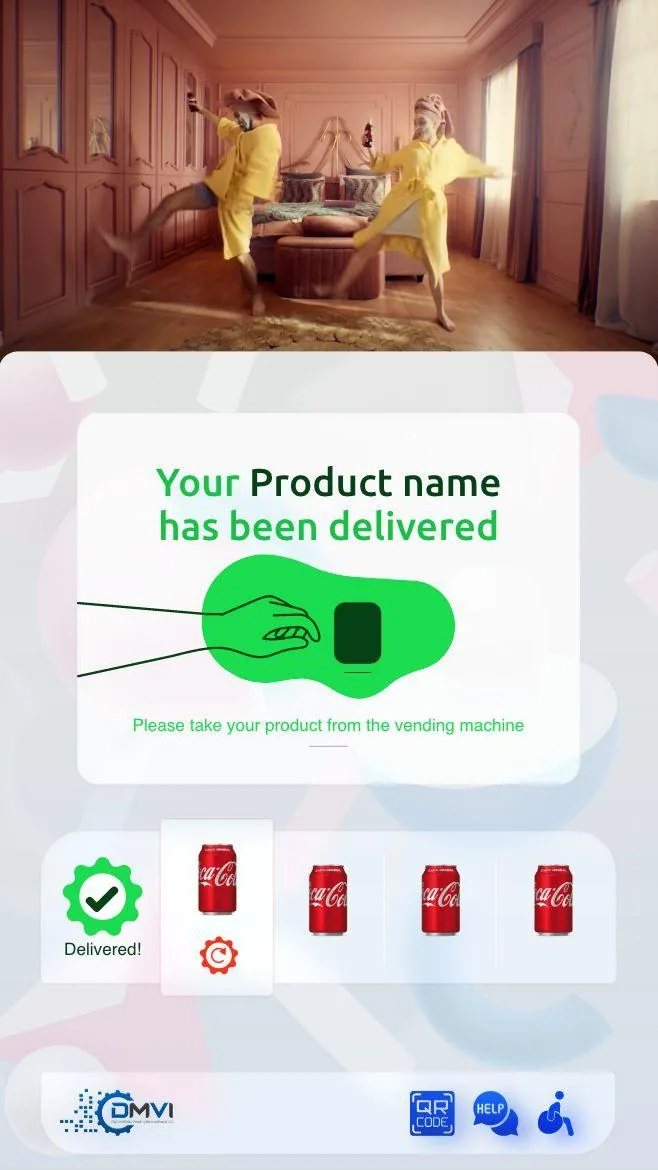
The shopper journey can move from attract screen to browse, product detail, payment, and confirmation with the branding and layout defined through Theme Manager.
What this feature controls
VendingTracker replaces the old button-and-spiral feeling with a touchscreen flow that behaves more like retail software than a utility machine.
The shopper journey can move from attract screen to browse, product detail, payment, and confirmation with the branding and layout defined through Theme Manager.
- Attract screen and browse flow
- Product detail and confirmation screens
- Card, contactless, and QR payment paths
- Brand-controlled layouts and promotions
- Accessibility and multilingual considerations
How it fits the wider platform
That makes the platform useful on smart machines and on retrofit cabinets where the business wants a more modern machine interaction.
The touchscreen layer runs on Android OS because that gives DMVI a fast, touchscreen-native environment designed for unattended 24/7 machine operation.
Deployment view
The same framework can support card, contactless, or QR-led phone payment flows depending on the deployment.
Accessibility and multilingual configuration also matter when the machine serves a broader public environment.
- Attract screen and browse flow
- Product detail and confirmation screens
- Card, contactless, and QR payment paths
Why buyers evaluate this feature directly
Many buyers begin with one operational problem, such as retrofit feasibility, route efficiency, branding, reporting, or payment fit, before they are ready to review the full platform.
VendingTracker connects each feature to the surrounding workflow so buyers can move naturally into compatibility, reporting, payments, inventory, or branding without losing context.
FAQ
What is vending machine touchscreen software?
It is the shopper-facing software layer that controls browsing, selection, payment, confirmation, and brand presentation on the machine screen.
What operating system does the touchscreen software use?
VendingTracker uses Android OS at the machine layer because it is fast, well suited to touchscreens, and designed for reliable 24/7 operation.
Can the same UX work on retrofits?
Yes. A retrofit path can bring a touchscreen interface to compatible legacy machines.
Can operators control branding and layout?
Yes. Theme Manager supports branding, layout, and promotional customization.
Does the touchscreen flow support QR payments?
Yes, where the deployment supports dynamic QR pay-on-phone workflows.
Can the interface be multilingual?
Yes. Multilingual support is available where the deployment requires it.
Turn the feature brief into a machine-fit decision
Feature pages are most useful when they lead straight into compatibility review, workflow walkthroughs, or a scoped platform demo.