Real-time fleet monitoring
See live machine status, alerts, and operating exceptions across smart machines and retrofit cabinets.
VendingTracker brings the operational layer, commercial layer, and machine-side experience together in one platform.
Use one system for telemetry, inventory, reporting, payments, branding, content, and deployment-specific workflows rather than stringing together isolated tools. The machine-side software is Android OS-based, chosen for responsive touchscreen performance and reliable 24/7 use.
That platform story extends beyond the browser: the DMVI Operator app is live on both iPhone and Android, giving operators mobile access to the same product ecosystem buyers are evaluating.
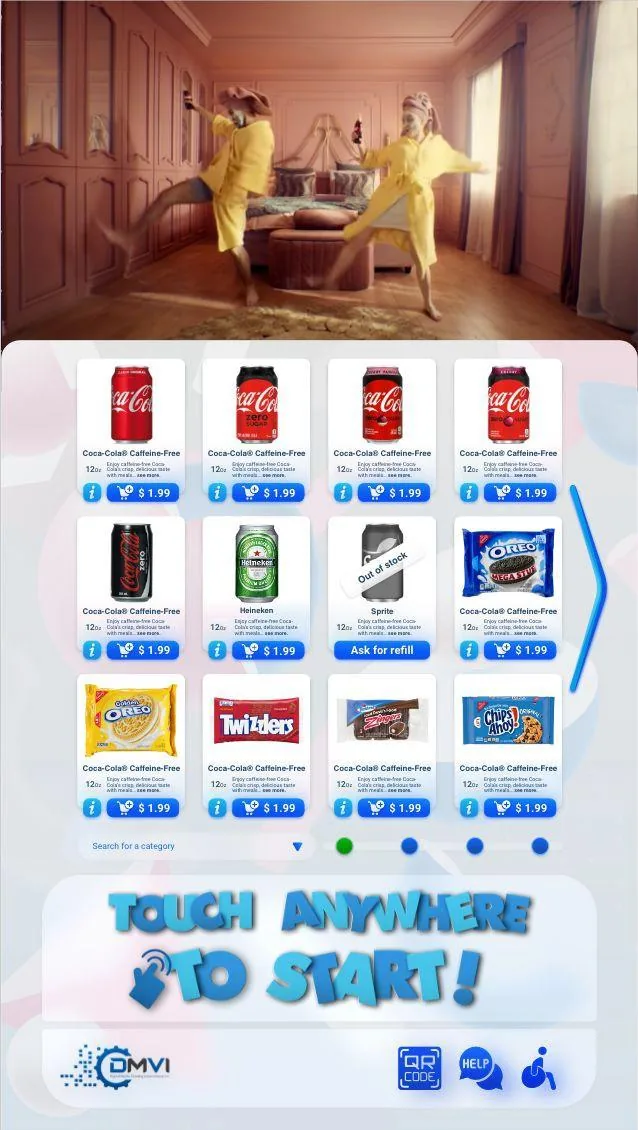
The platform page works best when buyers can immediately picture VendingTracker as one connected operating system rather than a loose collection of features. Monitoring, inventory, payments, reporting, branding, and machine control all need to make sense together.
That broader systems view is what separates a usable vending management system from a pile of disconnected tools that create more operational friction than they remove.
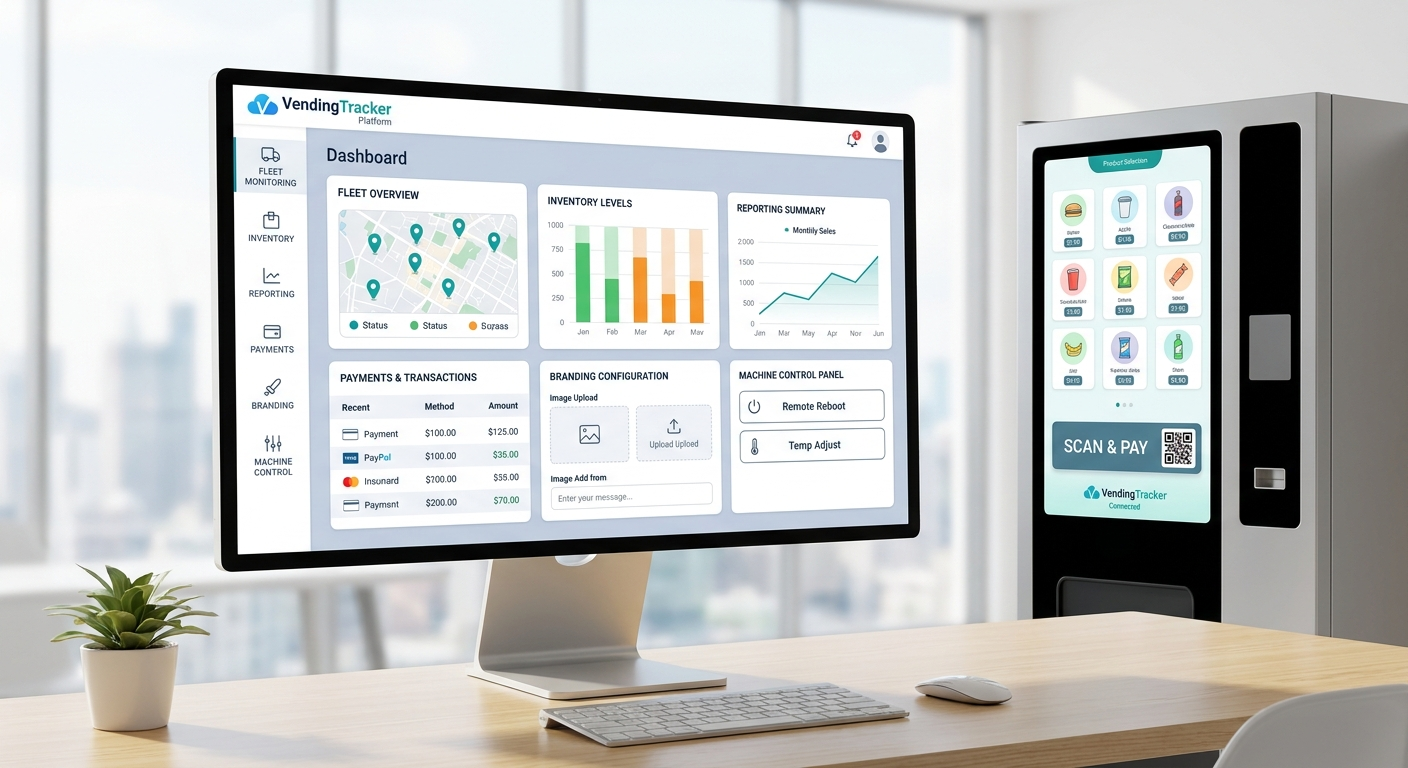
The platform is designed for operators who need real machine visibility, field workflow support, and commercial reporting without being trapped in a narrow hardware-specific lane.
From this overview you can move directly into real-time fleet monitoring, inventory and planogram control, vending machine financial reporting, cashless and QR payments, white-label vending software, custom development, digital signage, online order pickup and click-and-collect workflows, and hybrid fulfillment.
At the machine layer, DMVI uses Android OS because it gives the touchscreen experience the speed, stability, and always-on behavior buyers expect from a modern unattended retail deployment.
The live product footprint also includes public mobile apps in the Apple App Store and Google Play, reinforcing that VendingTracker is an actively shipped operator platform rather than a browser-only concept.
See live machine status, alerts, and operating exceptions across smart machines and retrofit cabinets.
Manage stock position, product placement, route priorities, and refill planning from one dashboard.
Support terminal-led cashless payments and QR pay-on-phone workflows where the deployment calls for them.
Use Theme Manager to adapt the shopper-facing machine experience for OEM, operator, or deployment-specific rollouts.
Scope machine UI, mobile apps, cloud features, and deployment-specific workflow logic when the standard product path is not enough.
Push promotions, creative assets, and screen content from the cloud rather than through manual screen handling.
Let customers buy online, reserve products against a machine, and collect with a unique pickup code at the vending endpoint.
Support physical-plus-digital order paths where the next step may be an SMS, a warehouse pick, a reserved pickup, or a digital entitlement rather than a simple dispense.
Features rarely live alone in a real deployment. Monitoring affects route efficiency, route efficiency affects profitability, payments affect machine flow, and branding affects the experience on the screen.
VendingTracker keeps those pieces connected so operators, OEM partners, and regulated deployment teams can review the software as a real operating system rather than a pile of disconnected modules.
VendingTracker runs on more than 2,000 shipped machines, supporting live operations across smart deployments, retrofits, and regulated environments.
Payment, security, and uptime details vary by machine type and deployment. Discuss specifics during a demo once the machine and operating model are clear.
Some buyers want the software view first, then the parent-company machine and showcase context. That is sensible, especially when the project includes both software and hardware decisions.
Use these DMVI pages when you need the adjacent hardware catalog, technology narrative, or showroom proof alongside the VendingTracker platform story.
The platform combines remote monitoring, inventory and planogram management, reporting, cashless and QR payments, Theme Manager, digital signage, online-order pickup and reservation workflows, hybrid fulfillment workflows, and role-based access control in one cloud dashboard.
Yes. VendingTracker is cloud-managed, meaning operators access fleet data, configure machines, push content, and review reports through a web-based dashboard without on-site software installs.
Compatible smart machines, retrofit units, and specialized deployments can be managed from the same software layer so operators do not need separate systems for each machine family.
Yes. Operators can review reporting at the machine, route, location, and fleet level and export the data they need for accounting, commissions, or management review.
Yes. Role-based access allows teams to give different users the level of control and visibility appropriate for field operations, finance, management, or partner reporting.
Deployment timing depends on machine type, retrofit requirements, and integration complexity. Smart-machine rollouts move faster, while retrofit or custom integration projects need a machine review before timing is confirmed.
Book a demo, request a compatibility review, or start an integration conversation with the right technical context from the start.