
Next step
Multilingual Machine UX
See how multilingual machine UX works across mixed audiences, regions, and branded deployments.
See multilingual UXA multilingual machine is not just a translated screen. It is a deployment decision about customer clarity, brand consistency, and whether operators can support multiple audiences without turning every new language into a bespoke rebuild.
This guide explains where multilingual vending machine software fits in a live deployment, what usually goes wrong first, and why why multilingual vending matters more than many buyers assume tends to shape the next buying decision more than a glossy feature list ever will.
Use it when the conversation has moved beyond light research and someone now needs a practical brief they can carry into compatibility review, procurement, or rollout planning.
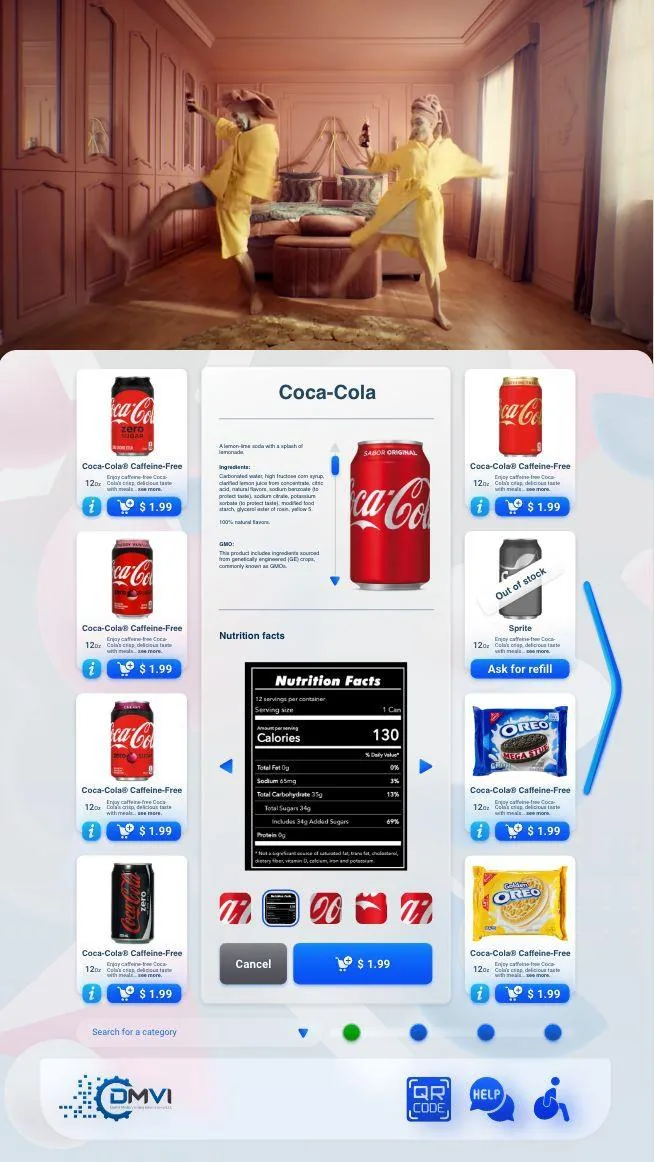
Multilingual machine deployments across international environments affects more than headline positioning. It changes rollout sequencing, workflow ownership, and which assumptions need to be confirmed before money or hardware is committed.
This guide walks through multilingual vending machine software in operational terms, with particular attention to why multilingual vending matters more than many buyers assume and the surrounding decisions buyers usually need answered before the project can move forward.
The goal is to give operations, procurement, compliance, and implementation stakeholders a shared working brief instead of leaving each team to infer the hard bits separately.
When the project is ready, the same questions can be carried directly into a scoped demo or compatibility review with the machine model, region, and deployment objective already defined.
A multilingual machine is not merely a translated screen. It is a decision about customer clarity, brand consistency, and whether the operator can support more than one language environment without turning every new deployment into a bespoke rebuild. That makes it relevant in airports, hospitality, campuses, healthcare, international rollouts, and many mixed-language domestic venues as well.
The practical value is simple: when customers can understand what the machine is asking them to do, friction falls. But the maintenance value is just as important. Buyers who underestimate the operational burden of multilingual content often discover that translation was the easy part and governance was the hard part.
Some deployments only need translated strings. Others need localised product names, imagery, layouts, payment instructions, compliance prompts, and terminology that actually makes sense to the intended audience. Treating all of that as “language support” in one vague bucket is how operators create interfaces that are technically translated but still confusing to use.
The useful discipline is to decide which surfaces need simple translation and which ones need fuller localisation. That helps control scope, prevents unnecessary custom work, and keeps the machine experience coherent when branding, promotions, and local terminology start interacting on the same screen.
When users land on a screen in the wrong language, one of their first instincts is to look for a language switcher. That makes switcher placement, label clarity, and fallback behaviour more than cosmetic details. They are conversion and trust details because the customer cannot buy confidently if they never feel sure the machine understands them.
A strong multilingual UI therefore keeps language choice obvious, reversible, and easy to recover from. Operators should think about first-run experience, remembered preferences where appropriate, and how the machine behaves if the customer changes language halfway through the journey.
Multilingual support becomes expensive when every venue turns into a separate screen-design project with no shared glossary, no approval process, and no central ownership of updates. The stronger pattern is central language management, controlled terminology, and a clear answer to who approves content when promotions, product lines, or compliance text change.
That governance matters because the fleet will keep evolving. New products, new promotions, and new markets all create update pressure. If the platform cannot manage languages centrally, the operator pays for the same translation and layout headaches again and again.
Readable typography, strong contrast, sensible touch targets, and concise instructions help multilingual users because they reduce cognitive load at the exact moment the customer is already doing extra work to interpret the interface. Good multilingual design is therefore closely related to good accessibility and good touchscreen design generally.
This also means buyers should be careful about squeezing too much copy onto one screen. Word growth, different scripts, and translated disclaimers can quickly break buttons, category tiles, and checkout clarity if the original UI was designed as if English text length were a law of nature.
The platform should let operators manage languages, branded assets, content updates, and machine-level differences without rebuilding every flow from scratch. It should also help teams learn from deployment data by seeing which languages are used, where friction remains, and where deeper localisation is actually justified.
That is the useful commercial promise of multilingual support. Not that every machine needs every language, but that the operator can serve different audiences coherently while still controlling the fleet like one system instead of ten unrelated creative projects.
Most vending deployments succeed when the operator treats this topic as part of a wider operating model instead of a standalone feature request. That means machine compatibility, workflow ownership, reporting expectations, and rollout sequencing should all be reviewed together rather than in separate disconnected conversations.
Buyers also benefit from documenting what must be true on day one, what can be phased in later, and which assumptions still need confirmation from hardware, payment, or compliance stakeholders. That level of clarity shortens implementation cycles and prevents expensive rework after the machine is already live.
In practical terms, the strongest next step is usually a compatibility review or a scoped demo with the machine type, rollout geography, and business objective already defined. That gives DMVI enough context to answer the real question, not just the headline version of it.
Teams that document those answers early also make the project easier for procurement, operations, finance, and implementation partners to evaluate. Clear documentation becomes especially valuable when multiple vendors, venues, or regulators are involved because everyone can work from the same operating assumptions instead of inventing them as the project moves.
Use this checklist to pressure-test the deployment before money, hardware, or procurement time is committed.
Use the related pages below to move from research into the right product or deployment conversation.
The real issue is operational control. The operator needs language support that stays manageable across regions, customer groups, and branded environments rather than turning every market into a bespoke build.
Airports, hospitality settings, mixed-audience campuses, international deployments, and any venue where the customer language cannot be assumed confidently from one machine placement to the next.
The strongest deployments let language and brand rules coexist so the operator can preserve a coherent machine experience while still adapting the interface to the audience.
Yes, if the platform handles that logic centrally. That is much easier than treating each region or venue as a separate screen-design project.
Test switching behavior, text clarity, branded assets, language-specific content handling, and how easily the operator can manage those settings across more than one machine profile.
No. Domestic deployments can still need it in airports, hotels, campuses, or urban venues with mixed language audiences.
Assuming the translation itself is the hard part. In practice, the ongoing operational control of content, layouts, and updates across multiple audiences is usually the bigger issue.
Most buyers move next into the multilingual feature page or Theme Manager, because language support becomes more valuable when it is reviewed alongside the branded machine experience.
Move from research into the product, solution, or compatibility page that best matches the machine and deployment you are actually planning.